A potential customer lands on your website at 10 PM. They’re interested, they have questions, and they’re ready to book a consultation. But you’re asleep. By the time you see their ‘contact us’ email the next morning, they’ve already booked a call with your competitor. A study cited by Harvard Business Review found that firms contacting a lead within an hour are nearly seven times more likely to qualify them. Wait longer, and the opportunity vanishes.
For a small business owner, this scenario is more than a missed opportunity; it’s a daily source of stress. Juggling emails, phone calls, and calendar Tetris to book a single meeting is a monumental time-sink. Every minute spent on administrative back-and-forth is a minute not spent on strategy, service delivery, or growth. What if you could clone yourself to handle every inquiry, instantly, 24/7?
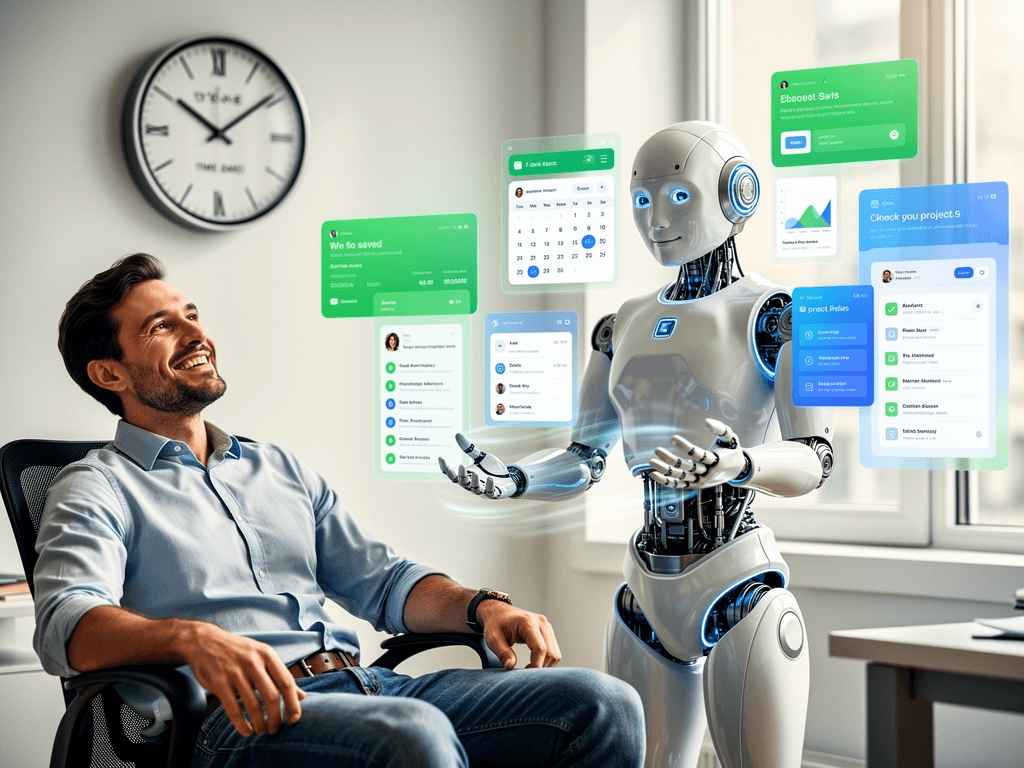
You can. AI-powered chatbots are no longer a futuristic luxury for mega-corporations. They are accessible, affordable, and profoundly effective tools that act as your tireless digital receptionist, qualifying leads and filling your calendar while you focus on running your business. This is your playbook for getting it done.
What Is an AI Chatbot for Scheduling and Lead Capture?
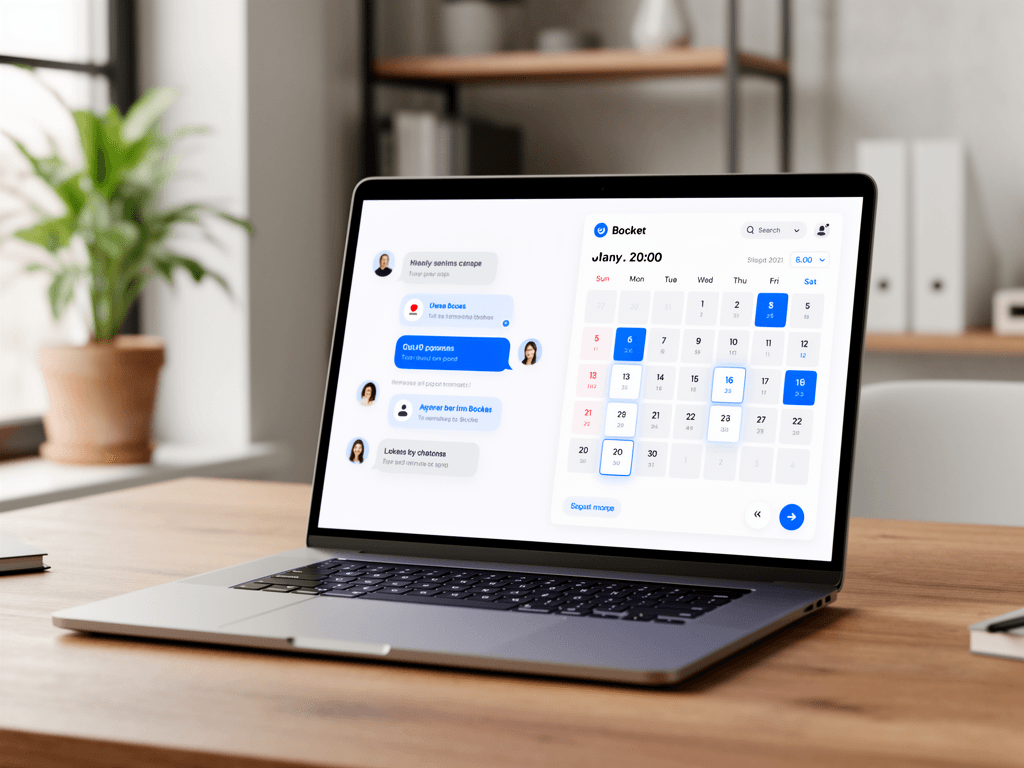
An AI chatbot for scheduling is an automated software agent on your website or messaging apps that engages visitors in natural conversation. It answers questions, qualifies them as leads based on your criteria, and books appointments directly into your calendar without human intervention, operating 24/7 to boost efficiency and conversions.
Unlike the clunky, rule-based bots of the past that could only respond to specific commands, modern AI chatbots use Natural Language Processing (NLP) to understand and respond to a wide range of human queries. Think of it less like a phone tree and more like a highly-trained (and infinitely patient) sales development representative. This technology represents a crucial step in AI workflow automation for small businesses, turning your static website into an interactive, revenue-generating asset.
Why Should Your Small Business Use an AI Scheduling Chatbot?
Small businesses should use AI scheduling chatbots to save significant time, capture leads 24/7, and improve customer experience. These bots eliminate manual back-and-forth for bookings, instantly engage website visitors before they leave, and provide a professional, immediate response that modern consumers expect, directly boosting revenue potential and operational efficiency.
Reclaim Your Most Valuable Asset: Time
The single biggest benefit is the reclamation of time. Consider the typical process of scheduling a meeting: five to ten emails, checking availability, sending options, confirming. An AI bot collapses this into a 30-second interaction. McKinsey estimates that up to 45 percent of the activities individuals are paid for can be automated. Scheduling is a prime candidate, freeing you to focus on high-value tasks that actually grow your business.
Never Miss a Lead Again (Even at 3 AM)
Your business might close at 5 PM, but your website is always open. With 83% of customers expecting immediate engagement, a ‘Contact Us’ form is a leaky bucket. A chatbot is your 24/7 front line, ensuring that every visitor, regardless of time zone, gets an instant, helpful response. This is critical for capturing leads at their peak moment of interest.
Improve Your Customer Experience Instantly
In an on-demand world, waiting is a business killer. An AI chatbot provides the instant gratification customers crave. It can answer common questions, provide information, and guide users to the right resources immediately. This level of responsiveness builds trust and presents a professional, modern brand image, making it one of the most effective AI tools that actually save small business owners time.
Qualify Leads on Autopilot
Not every inquiry is a good fit. A chatbot can be programmed with pre-qualifying questions about budget, timeline, needs, or company size. This ensures that by the time an appointment is booked on your calendar, the lead is already vetted. You spend your valuable sales time talking to high-potential prospects, not tire-kickers. This is a core function of dedicated AI for sales tools, now accessible to everyone.
Reduce Appointment No-Shows
A booked meeting is useless if the person doesn’t show up. Most scheduling bots automatically integrate with your calendar to send confirmation emails and reminder notifications (both email and SMS). This simple automation drastically cuts down on no-shows. For instance, legal software Clio found that automated reminders can reduce no-shows by as much as 38%.
How Do You Implement an AI Scheduling Chatbot? A 5-Step Guide
To implement an AI chatbot, first define your primary goal, such as lead capture or appointment booking. Next, choose the right tool for your budget and needs. Then, design the conversation flow and pre-qualifying questions. Integrate it with your calendar and CRM, and finally, deploy it on your website and monitor its performance for optimization.
Step 1: Define Your Primary Goal
What is the single most important job for this bot? Is it to book sales demos? Schedule support calls? Qualify inbound marketing leads? Or simply answer FAQs? Your goal will dictate the conversation’s design and the tool you choose. Start with one clear, measurable objective (e.g., ‘Book 10 qualified demos per month’).
Step 2: Choose the Right AI Chatbot Platform
The market is full of options, which we’ll explore below. Key factors for a small business are ease of use (can you build flows without code?), integration capabilities (does it connect to your calendar and email?), and pricing (is there a free or low-cost tier to start?). Don’t overbuy; choose a tool that solves today’s problem well.
Step 3: Design the Conversation Flow
This is the creative part. Map out the ideal conversation on a whiteboard or piece of paper. Start with a friendly greeting. What’s the first question you’ll ask? What are the possible user responses? Create branches for different scenarios. For a scheduling bot, the flow typically goes: Greet -> Ask purpose -> Ask qualifying questions -> Offer available times -> Confirm booking.
Step 4: Integrate with Your Existing Tools
For the automation to work, the chatbot needs to talk to your other systems. The most critical integration is with your calendar (Google Calendar, Outlook 365, etc.). This allows the bot to see your real-time availability and add new appointments directly. A secondary, but powerful, integration is with your CRM or AI email marketing tool to automatically add new leads to your database.
Step 5: Deploy, Test, and Iterate
Most chatbot platforms provide a simple JavaScript snippet you can copy and paste into your website’s header or footer. Once live, test it rigorously. Pretend you’re a new customer, a confused customer, and a difficult customer. See how it responds. Review the conversation transcripts to see where users get stuck or drop off. Use these insights, which can be analyzed like any other dataset with AI data analyst tools, to continuously refine your bot’s script.
What Are the Best AI Chatbot Tools for Small Businesses?
The best AI chatbot tools for small businesses balance affordability with powerful features. Top options include Tidio for its user-friendly interface and freemium plan, Drift for its focus on B2B sales and conversational marketing, and Intercom for its comprehensive customer communication platform. Each excels in different areas, from simple lead capture to advanced sales automation.
Tidio — Best for All-in-One Customer Communication
Tidio is a fantastic starting point for small businesses. It combines live chat, chatbots, and email marketing in one simple dashboard. Its visual chatbot builder is incredibly intuitive, allowing you to create complex conversational flows with a drag-and-drop interface, no coding required. The free plan is generous enough to prove its value before you upgrade.
Drift — Best for B2B Sales and Conversational Marketing
Drift pioneered the ‘conversational marketing’ category. It’s a premium, sales-focused tool designed to engage high-intent B2B buyers. Drift’s power lies in its ability to identify visitors from target companies, engage them with personalized messages, and route them directly to the right sales rep’s calendar. It’s an investment, but for B2B companies, the ROI can be massive, with some users seeing a 100% increase in qualified leads.
Intercom — Best for a Unified Customer Platform
Intercom is more than just a chatbot; it’s a complete customer communications platform. It’s one of the best AI customer service tools because it aims to manage the entire customer lifecycle, from acquisition (with bots) to engagement (with targeted messages) and support (with a shared inbox and help center). Its ‘Fin AI’ bot is one of the most advanced on the market. It’s a great choice if you want one tool to rule all your customer interactions.
Calendly — Best for Pure Scheduling Automation
While not a conversational chatbot in the same way, Calendly is the master of one thing: scheduling. Its new Routing features allow you to ask pre-qualifying questions and direct prospects to the right event type or team member’s calendar. You can embed Calendly on your site, and its simplicity is its strength. Often, the best ‘chatbot’ is just a smart form that leads to a Calendly link.
HubSpot Service Hub — Best for Integrated CRM & Marketing
If you’re already using HubSpot’s free CRM, their chatbot builder is a no-brainer. It’s included in their Service Hub and Marketing Hub products. The biggest advantage is the seamless integration: every chat conversation is automatically logged on the contact’s record in the CRM, giving you a complete history of every interaction. This is crucial for creating a cohesive customer journey.
How Do Tidio, Drift, and Intercom Compare?
Tidio is the most budget-friendly option, ideal for startups needing a versatile tool with a free plan. Drift is a premium choice focused purely on B2B sales and lead generation with advanced targeting. Intercom offers a complete customer support and engagement platform, making it best for businesses wanting a single solution for all communications.
| Feature | Tidio | Drift | Intercom |
|---|---|---|---|
| Best For | SMBs, Startups, E-commerce | B2B Sales & Marketing Teams | All-in-one Customer Lifecycle |
| Pricing Model | Freemium, affordable paid plans | Premium, quote-based | Premium, usage-based |
| Key Feature | Visual drag-and-drop builder | Account-based marketing targeting | Unified platform for sales & support |
| Ease of Use | Very High | Medium | Medium-High |
What Are 5 High-Impact Workflows You Can Automate Today?
You can immediately automate five key workflows: booking sales demos, scheduling client consultations for service businesses, capturing leads from blog posts, qualifying prospects with budget/timeline questions, and routing high-value leads directly to a human agent’s calendar. These automations save time and accelerate your sales cycle.
Workflow 1: The ‘Book a Demo’ Sales Funnel
Place a proactive chatbot on your pricing and product pages. The bot can pop up with: ‘Hi there! Interested in seeing how [Your Product] can help you? I can book a free 15-minute demo with an expert right now.’ It then asks 2-3 qualifying questions and presents the sales team’s calendar.
Workflow 2: The Service-Based Business Consultation Booker
If you’re a consultant, lawyer, or agency, your time is your inventory. Use a chatbot on your homepage to act as a virtual intake specialist. It can ask about the nature of the project, budget, and desired start date before allowing the prospect to book a paid or free consultation.
Workflow 3: The Content-to-Lead Capture Machine
On your most popular blog posts, embed a chatbot that offers a related resource or a chance to speak with an expert. For example, on a post about SEO, the bot could say: ‘Found this helpful? I can schedule a free SEO audit with our team. Interested?’ This turns passive readers into active leads.
Workflow 4: The 24/7 Lead Qualification Filter
This is a foundational workflow. Program your chatbot to ask the questions you would ask on a discovery call. ‘What’s your biggest challenge with X?’, ‘What’s your estimated monthly budget for a solution?’, ‘How soon are you looking to get started?’. This filters out unqualified leads, ensuring your calendar is filled only with promising conversations. This is a must, as 40% of marketers say generating high-quality leads is their biggest challenge.
Workflow 5: The VIP Instant Connection
You can set up rules to fast-track high-value leads. For example, if a visitor indicates they have a budget over a certain threshold or are from a Fortune 500 company (a feature in tools like Drift), the bot can skip the scheduling and say, ‘It looks like you’re a great fit. An account executive is available to chat right now.’ It can then trigger a live chat notification for immediate human takeover.
Recommended Reading: Automate Your Growth
To truly master the mindset behind this technology, it’s crucial to understand the customer’s perspective. I highly recommend the book ‘They Ask, You Answer’ by Marcus Sheridan. It’s a masterclass in building trust by obsessively answering customer questions. An AI chatbot is simply a tool to do that at scale. You can grab a copy on Amazon to revolutionize your entire sales and marketing philosophy.
Frequently Asked Questions (FAQ)
Common questions about AI chatbots cover cost, setup complexity, and their impact on human jobs. Businesses want to know if they can afford them, if they require a developer to install them, and whether they will replace their sales or support staff. The answers generally point to scalability, ease of use, and augmentation, not replacement.
How much does an AI scheduling chatbot cost?
Costs vary widely. Tools like Tidio offer robust free plans that are perfect for getting started. Paid plans typically start around $20-$50 per month for small businesses. More advanced, sales-focused platforms like Drift or Intercom can cost several hundred to thousands of dollars per month, depending on your traffic and feature needs.
Will an AI chatbot feel robotic and hurt my brand?
This is a common fear, but modern AI has come a long way. You can customize the bot’s language, tone, and even avatar to match your brand’s personality. The key is to be transparent. A simple ‘Hi, I’m [Company Name]’s automated assistant!’ sets clear expectations. A well-designed, helpful bot is a much better experience than a slow-to-respond human.
Do I need a developer to install an AI chatbot?
For most of the leading platforms, absolutely not. The standard installation process involves copying a single line of JavaScript code and pasting it into your website’s settings (most website builders like Squarespace, Wix, or WordPress have a simple field for this). Building the conversation flows is also typically done through a visual, no-code interface.
Can the chatbot integrate with my specific calendar software?
Almost certainly, yes. The vast majority of chatbot and scheduling tools offer native, one-click integrations with the most popular calendar systems, including Google Calendar, Outlook/Office 365, and Apple Calendar. This is a core feature, so if a tool doesn’t support your calendar, it’s not the right tool for you.
The era of AI automation isn’t coming; it’s here. The chatbot market is expected to reach $15.5 billion by 2028, and 42% of enterprise companies are already using AI. For small businesses, this isn’t a threat—it’s the ultimate leveler. Tools that were once out of reach are now available and affordable, allowing you to compete on service and responsiveness, not just size.
By implementing an AI chatbot for scheduling and lead capture, you’re not just buying a piece of software. You’re buying back your time, creating a better experience for your customers, and building a more resilient, efficient business. Start with one of the workflows above, sign up for a free trial, and see how much time you can save this week. Your calendar will thank you.
Disclosure: This post may contain affiliate links. If you make a purchase through these links, we may earn a commission at no extra cost to you. We only recommend products we trust.
Get AI Tips That Actually Work
Join small business owners getting weekly AI tool reviews, automation tips, and productivity hacks.
Subscribe Free →Enjoyed this article? Check out our other guides on samshustlebarn.com