AI Tools That Actually Save Small Business Owners Time (Not Just Hype)
Last updated: April 7, 2026
Let me guess. You Googled “best AI tools for small business” and got hit with a wall of listicles written by people who’ve never run a business in their life. Every post reads the same: “ChatGPT is revolutionary!” Yeah, no kidding. Thanks for the hot take from 2023.
Here’s what nobody talks about: time is the only currency that matters when you’re running a small business. You can’t mint more of it. You can’t borrow it. Every hour you spend wrestling with a clunky tool or figuring out some “intuitive” interface is an hour you’re not closing deals, serving customers, or — let’s be real — sleeping.
I’ve been testing AI tools for over two years now, and I’ll tell you the dirty secret of this industry: most AI tools are built to impress investors, not to help you. They demo beautifully, the landing pages are gorgeous, and then you sign up and realize you need a PhD in prompt engineering just to get a halfway decent email draft out of them.
But some tools? Some tools genuinely change the game. They slot into your workflow, they save you real hours every week, and they pay for themselves within the first month. Those are the ones we’re talking about today.
This isn’t a “top 50 AI tools” post where we list everything with a pulse. This is 10 tools I’ve personally used, tested against real small business tasks, and measured for actual time savings. If a tool is on this list, it earned its spot. If your favorite tool isn’t here, it probably didn’t.
If you want to go deeper on the AI content creation side specifically, check out our guide on the best AI blogging tools for small businesses in 2026.
Let’s get into it.
How We Tested These Tools
I don’t trust star ratings on G2, and neither should you. Half those reviews are incentivized, and the other half are from enterprise companies with completely different needs than a 5-person shop trying to get through the week.
Here’s exactly how we evaluated every tool on this list:
Time Saved (40% of our score): We tracked how long specific tasks took before and after using each tool. We’re talking real tasks — writing a blog post, responding to customer tickets, scheduling a month of social media. If a tool didn’t save at least 3 hours per week on the tasks it claims to handle, it didn’t make the cut.
Learning Curve (20% of our score): If it takes more than a day to get productive with a tool, that’s a problem. Small business owners don’t have time for a two-week onboarding. We measured how long it took to go from sign-up to actually producing useful output.
ROI at Small Business Scale (25% of our score): A tool that costs $500/month might be a steal for a 200-person company and a total waste for a solopreneur. We evaluated pricing specifically for businesses with 1-20 employees. If the math doesn’t work at that scale, it’s out.
Integration Ease (15% of our score): Does it play nice with the tools you already use? Google Workspace, Slack, Shopify, WordPress — if a tool lives on its own island and doesn’t connect to anything, it creates more work, not less. For a deeper look at how these integrations play together, read our AI workflow automation guide.
Every tool below was tested for a minimum of 30 days in a real small business environment. No sponsored placements. No pay-to-play. Just what works.
The 10 Best AI Tools for Small Business Owners in 2026
1. Jasper AI — Best for Content Creation at Scale
Jasper AI is the content creation tool that actually lives up to the hype. It generates blog posts, social media captions, ad copy, product descriptions, and email sequences using AI that’s been specifically trained on marketing best practices. Unlike generic AI chatbots, Jasper understands brand voice, and once you train it on your style, the output is genuinely close to what you’d write yourself — just ten times faster.
Pricing:
- Creator: $49/month (1 user, 1 brand voice)
- Pro: $69/month (up to 5 users, 3 brand voices, SEO mode)
- Business: Custom pricing (unlimited brand voices, API access, advanced admin)
Best for: Business owners who need to produce a steady stream of content — blog posts, newsletters, social media — but can’t afford a full-time writer. Also great for agencies managing multiple client voices.
Pros:
- Brand voice training is legitimately good — it learns your tone after a few examples
- Templates for every content type you can think of (over 50+)
- Built-in SEO integration with Surfer SEO
- Chrome extension works inside Google Docs, email, and social platforms
Cons:
- Gets expensive fast if you have multiple team members
- Long-form content still needs significant human editing for accuracy
- Can feel repetitive if you don’t vary your prompts
Time saved: 6-8 hours per week on content creation tasks. First drafts that used to take 2 hours now take 25 minutes.
Curious how Jasper stacks up against alternatives? We did a full breakdown in our Jasper vs. Writesonic comparison.
2. Motion — Best for Schedule and Project Management
Motion is what happens when a calendar app, a project manager, and a personal assistant have a baby. It uses AI to automatically schedule your tasks, meetings, and projects based on priority, deadlines, and your actual available time. The magic is in the auto-scheduling: you tell Motion what needs to get done and by when, and it figures out when you should actually do it. When things shift — and they always do — it re-optimizes your entire schedule automatically.
Pricing:
- Individual: $34/month (billed annually) or $49/month (billed monthly)
- Team: $20/user/month (billed annually, minimum 2 users)
Best for: Overwhelmed business owners juggling multiple projects, client work, and internal tasks who spend too much time deciding what to work on next. If you’re constantly reshuffling your to-do list, Motion is your fix.
Pros:
- Auto-scheduling is genuinely transformative — it eliminates “what should I work on next” paralysis
- Combines calendar, task management, and project management in one place
- Integrates with Google Calendar, Zoom, and most major tools
- Team features let you see everyone’s real capacity, not just their calendar blocks
Cons:
- Takes about a week to trust the AI scheduling enough to stop overriding it
- Monthly pricing is steep if you’re not using it heavily
- Mobile app is functional but not as smooth as the desktop experience
Time saved: 5-7 hours per week. The biggest win isn’t the scheduling itself — it’s eliminating the mental overhead of constantly re-prioritizing.
3. Intercom Fin — Best AI Customer Support for Growing Teams
Intercom’s Fin AI agent handles customer support conversations with a level of quality that would’ve been science fiction three years ago. It reads your existing help docs, knowledge base, and past conversations, then resolves customer questions without human intervention. We’re not talking about the old-school chatbots that made customers want to throw their laptops — Fin actually understands context, handles follow-up questions, and knows when to escalate to a human.
Pricing:
- Essential: $39/seat/month (includes Fin AI agent)
- Advanced: $99/seat/month (advanced automation, workflows)
- Expert: $139/seat/month (collaboration tools, workload management)
- Fin AI resolution fee: $0.99 per resolved conversation (on top of seat price)
Best for: Businesses handling 50+ customer conversations per week who need to scale support without hiring more people. Ecommerce, SaaS, and service businesses see the biggest ROI.
Pros:
- Resolution quality is genuinely impressive — customers often don’t realize they’re talking to AI
- Learns from your existing documentation, so setup is mostly “point it at your help center”
- Seamless handoff to human agents when needed, with full conversation context
- Multilingual support out of the box
Cons:
- Per-resolution pricing can add up fast if you have high ticket volume
- Seat-based pricing makes it expensive for very small teams
- Overkill if you’re handling fewer than 30 conversations per week
Time saved: 8-12 hours per week for a business handling 100+ weekly support conversations. Fin resolves 40-60% of conversations without human involvement in our testing.
4. Surfer SEO — Best for Content Optimization
Surfer SEO takes the guesswork out of SEO content. You give it a keyword, and it analyzes the top-ranking pages to tell you exactly what your content needs: word count, headings, keyword density, NLP terms, images — the works. The content editor scores your writing in real-time as you write, so you know exactly when your piece is optimized. Pair it with Jasper (they integrate directly), and you’ve got an AI content creation pipeline that actually ranks.
Pricing:
- Essential: $89/month (up to 30 articles, 2 organization seats)
- Scale: $129/month (up to 100 articles, 5 organization seats)
- Scale AI: $219/month (includes AI-generated articles, 10 seats)
- Enterprise: Custom pricing
Best for: Content-driven businesses that rely on organic search traffic. Bloggers, affiliate marketers, local businesses trying to rank in their area, and anyone who publishes more than 4 articles per month.
Pros:
- Content editor is incredibly intuitive — green score = you’re good to publish
- SERP analyzer gives you a real competitive advantage by showing exactly what’s working for top-ranking pages
- Audit feature identifies optimization opportunities in existing content
- Jasper integration means you can write and optimize in one workflow
Cons:
- Pricing is hard to justify if you’re only publishing 1-2 articles per month
- Keyword research is decent but not a replacement for Ahrefs or Semrush
- Occasionally suggests keyword stuffing — you still need editorial judgment
Time saved: 3-5 hours per week on content optimization. The real value is in eliminating the “publish and pray” approach — your content ranks faster because it’s optimized from the start.
5. Zapier — Best for Workflow Automation
Zapier is the duct tape that holds your entire tech stack together. It connects over 6,000 apps and lets you build automated workflows (called “Zaps”) without writing a single line of code. The AI component — introduced with their AI actions and the newer “Canvas” builder — now lets you describe what you want in plain English and it builds the automation for you. Stuff like “when someone fills out my Typeform, add them to my Mailchimp list, create a Trello card, and send me a Slack notification” — that’s a 2-minute setup now.
Pricing:
- Free: 100 tasks/month, 5 Zaps
- Starter: $29.99/month (750 tasks/month, multi-step Zaps)
- Professional: $73.50/month (2,000 tasks/month, advanced logic)
- Team: $103.50/month (shared workspace, unlimited users)
- Enterprise: Custom pricing
Best for: Any small business owner doing repetitive manual tasks between different apps. If you’re copying data from one tool to another, sending the same email sequences manually, or doing any form of “digital paperwork” — Zapier is probably your biggest time-saver on this entire list. Our workflow automation guide covers Zapier setups in more detail.
Pros:
- 6,000+ app integrations means it connects to basically everything
- AI-powered Zap builder makes setup dramatically faster than the old manual approach
- Free tier is genuinely usable for testing and light automation
- Paths and filters let you build surprisingly complex logic without code
Cons:
- Task-based pricing can get expensive if your automations run frequently
- Debugging failed Zaps can be frustrating — error messages aren’t always clear
- Complex multi-step Zaps occasionally break when apps update their APIs
Time saved: 5-15 hours per week depending on how many manual processes you automate. The business owners who get the most value are the ones who audit every repetitive task and ask “can Zapier do this?” The answer is almost always yes.
📧 Want more AI tool reviews like this?
6. Notion AI — Best for Note-Taking and Project Management
Notion was already one of the best productivity tools out there, and the AI layer makes it borderline unfair. Notion AI lives inside the workspace you’re already using — it can summarize meeting notes, generate action items from messy brainstorms, draft project briefs, translate documents, and answer questions about information buried across your entire workspace. The killer feature is the Q&A: ask “what did we decide about the Q2 marketing budget?” and it pulls the answer from your notes, docs, and databases. No more digging through 47 pages to find that one decision.
Pricing:
- Free: Basic Notion features, limited AI queries
- Plus: $12/user/month (includes Notion AI)
- Business: $18/user/month (advanced permissions, bulk export)
- Enterprise: Custom pricing (SSO, advanced security)
Best for: Teams that already live in Notion or businesses looking for an all-in-one workspace. Especially valuable for service businesses managing multiple client projects, agencies tracking deliverables, and anyone drowning in meeting notes.
Pros:
- AI is embedded directly in your workflow — no switching between tools
- Q&A feature over your entire workspace is a genuine game-changer for finding information
- Summarization of long documents and meeting notes is shockingly accurate
- Database and project management features mean it can replace 3-4 other tools
Cons:
- Steep learning curve if you’re new to Notion — the flexibility can be overwhelming
- AI features are less powerful for content creation than dedicated tools like Jasper
- Can feel sluggish with very large workspaces (500+ pages)
Time saved: 3-5 hours per week, primarily from faster information retrieval, automated meeting summaries, and eliminating manual project status updates.
7. Grammarly Business — Best for Professional Writing Quality
Grammarly Business is the tool you don’t think you need until you realize how much time you spend re-reading emails before hitting send. It goes way beyond spell check — the AI catches tone issues, suggests clearer phrasing, flags jargon that might confuse customers, and now generates full rewrites of clunky paragraphs. For customer-facing businesses, the brand tone feature ensures every team member writes in the same voice, whether it’s a support email, a proposal, or a social media post. The ROI isn’t just time — it’s fewer misunderstandings, more professional communications, and less “wait, did that email sound passive-aggressive?”
Pricing:
- Free: Basic grammar and spelling checks
- Premium: $30/month (or $12/month billed annually) — full writing suggestions, tone detection, AI rewrites
- Business: $25/user/month (billed annually) — brand tones, style guides, analytics, admin controls
Best for: Any business where written communication matters — which is every business. Especially valuable for teams where English isn’t everyone’s first language, businesses with customer-facing written content, and anyone sending more than 20 emails a day.
Pros:
- Works everywhere — browser extension, desktop app, Google Docs, Slack, email clients
- Brand tone feature keeps all team communication consistent
- AI rewrites save time on polishing drafts — highlight a paragraph, click rewrite, done
- Analytics dashboard shows writing trends across your team
Cons:
- Suggestions can be overly conservative — sometimes the casual tone IS what you want
- Free tier is very limited — you’ll hit the paywall quickly
- Occasional false positives on industry-specific terminology
Time saved: 2-4 hours per week. The time savings come from faster email writing, fewer back-and-forth clarifications, and eliminating the self-editing loop.
8. Tidio AI — Best Budget-Friendly AI Chatbot
Tidio is Intercom’s scrappy younger sibling — it delivers about 80% of the functionality at roughly a third of the price. The AI chatbot (called “Lyro”) handles customer conversations, answers FAQs, recommends products, and can even process simple requests like order status checks. It learns from your knowledge base and conversation history, getting smarter over time. For small businesses that need AI-powered customer support but can’t stomach Intercom’s per-seat pricing, Tidio is the answer. It’s especially popular with ecommerce shops on Shopify and WooCommerce because the integrations are dead simple.
Pricing:
- Free: 50 Lyro conversations/month, live chat, basic chatbot
- Starter: $29/month (100 Lyro conversations, basic analytics)
- Growth: $59/month (up to 2,000 Lyro conversations, advanced analytics)
- Tidio+: $749/month (custom limits, dedicated support, premium features)
- Lyro AI add-on: Additional conversations available from $39/month
Best for: Ecommerce businesses, small service businesses, and solopreneurs who need AI customer support without enterprise pricing. If you’re handling 20-200 customer conversations per week and don’t need Intercom’s full feature set, Tidio is your pick.
Pros:
- Significantly cheaper than Intercom for small teams — the free tier is actually usable
- Shopify and WooCommerce integrations work out of the box
- Visual chatbot builder is intuitive enough for non-technical users
- Lyro AI quality has improved dramatically — it handles nuanced questions well
Cons:
- AI resolution quality doesn’t quite match Intercom Fin for complex conversations
- Conversation limits on lower tiers can be restrictive for growing businesses
- Advanced customization requires the expensive Tidio+ plan
Time saved: 4-8 hours per week. Resolves 30-50% of customer conversations automatically on the AI tiers.
9. Copy.ai — Best for Marketing Copy and Sales Content
Copy.ai has evolved from a simple copywriting tool into a full-blown GTM (go-to-market) AI platform. It generates marketing copy, sales emails, product descriptions, social media posts, and ad variations — but the real power is in its workflow automation. You can build entire content pipelines: feed it a blog post and it automatically generates 10 social media posts, 3 email variations, and an ad script. The “Infobase” feature lets you upload your brand guidelines, product info, and customer personas so every piece of copy is on-brand without re-explaining your business every time. For small businesses churning out marketing content across multiple channels, it’s a force multiplier.
Pricing:
- Free: 2,000 words in chat, limited features
- Starter: $49/month (1 user, unlimited chat words, brand voices)
- Advanced: $249/month (up to 5 users, workflows, API access)
- Enterprise: Custom pricing
Best for: Marketing-heavy small businesses, ecommerce stores with large product catalogs, agencies managing social media for multiple clients, and anyone who needs to repurpose content across multiple channels quickly. If you want to compare it to other options, see our Jasper vs. Writesonic comparison — Copy.ai plays in the same space.
Pros:
- Workflow automation turns one piece of content into dozens across channels
- Infobase keeps all copy on-brand without repetitive prompting
- Sales email sequences are particularly strong — better than most competitors
- Free tier is generous enough to genuinely test the tool
Cons:
- Advanced plan pricing is steep for solopreneurs
- Long-form blog content isn’t as strong as Jasper — it’s better for short-form copy
- Workflow builder has a learning curve — expect a few hours of setup time
Time saved: 4-7 hours per week on marketing content creation. The multi-channel repurposing feature alone saves 2-3 hours that would otherwise be spent manually adapting content for different platforms.
10. Descript — Best for Video and Podcast Editing
Descript flips video and podcast editing on its head. Instead of fiddling with timelines and waveforms, you edit your video or audio by editing a text transcript. Delete a sentence from the transcript? The corresponding audio and video disappear. It’s that simple. The AI features include automatic transcription, filler word removal (um, uh, like — gone in one click), eye contact correction for video, and Studio Sound which makes any recording sound like it was done in a professional studio. For small business owners creating content — YouTube videos, podcast episodes, training materials, social clips — Descript cuts editing time by 70-80% compared to traditional tools like Premiere or Final Cut.
Pricing:
- Free: 1 hour of transcription/month, basic editing
- Hobbyist: $33/month (10 hours transcription, filler word removal)
- Business: $40/month (30 hours transcription, all AI features, brand kit)
- Enterprise: Custom pricing
Best for: Small business owners who create video or audio content — podcasters, YouTubers, businesses making training videos, anyone creating social media video content. If you’re currently spending hours editing in traditional software or outsourcing editing, Descript pays for itself immediately.
Pros:
- Text-based editing is revolutionary — anyone who can edit a Google Doc can edit video
- Filler word removal and Studio Sound are instant quality upgrades
- Auto-generated social clips from long-form content save hours of manual clipping
- Screen recording and publishing features built in — it’s an all-in-one studio
Cons:
- Advanced video editing features still can’t match Premiere Pro for complex projects
- Transcription accuracy drops noticeably with heavy accents or technical jargon
- File processing can be slow for longer recordings (60+ minutes)
Time saved: 5-10 hours per week for regular content creators. A 30-minute podcast episode that took 3 hours to edit now takes about 45 minutes.
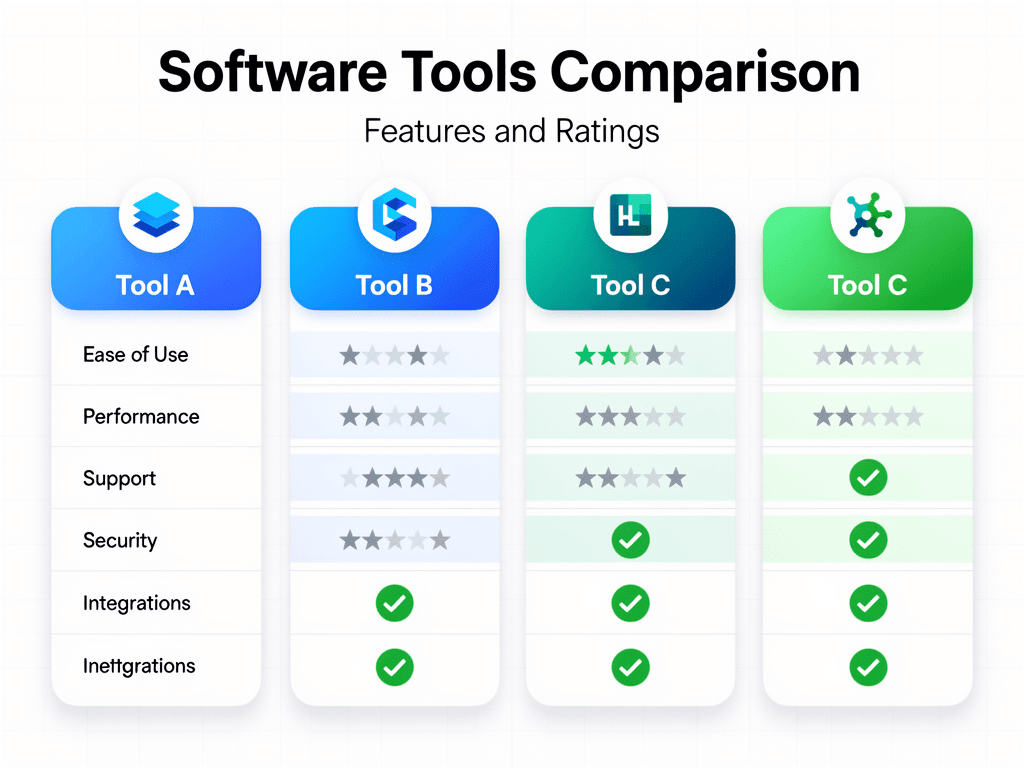
Comparison Table: All 10 Tools at a Glance
| Tool | Starting Price | Best For | Time Saved/Week |
|---|---|---|---|
| Jasper AI | $49/mo | Content creation at scale | 6-8 hours |
| Motion | $34/mo | Schedule & project management | 5-7 hours |
| Intercom Fin | $39/seat/mo + $0.99/resolution | AI customer support (growing teams) | 8-12 hours |
| Surfer SEO | $89/mo | Content optimization & SEO | 3-5 hours |
| Zapier | Free (paid from $29.99/mo) | Workflow automation | 5-15 hours |
| Notion AI | Free (paid from $12/user/mo) | Notes & project management | 3-5 hours |
| Grammarly Business | Free (paid from $12/mo) | Professional writing quality | 2-4 hours |
| Tidio AI | Free (paid from $29/mo) | Budget AI chatbot | 4-8 hours |
| Copy.ai | Free (paid from $49/mo) | Marketing copy & sales content | 4-7 hours |
| Descript | Free (paid from $33/mo) | Video & podcast editing | 5-10 hours |

How to Choose the Right AI Tool for Your Business
Staring at a list of 10 tools and wondering which ones to actually buy? Good. That means you’re being smart about this instead of just throwing money at every shiny new product.
Here’s the decision framework I use:
Step 1: Identify your biggest time sink. For one week, track where your hours go. Not in a spreadsheet — just jot it down on a sticky note every time you finish a task. At the end of the week, look at the list and find the category that eats the most time. Content creation? Customer support? Email and communication? Project management? That’s where your first AI tool should go.
Step 2: Start with ONE tool. I know it’s tempting to sign up for five tools today. Don’t. Adopt one tool, spend two weeks actually learning it, build it into your workflow, and then measure the results. Only then move to the next one. Tool fatigue is real, and stacking too many new tools at once means none of them get used properly.
Step 3: Prioritize tools with free tiers or trials. Six of the ten tools on this list have free tiers. Use them. Test before you invest. A free tier gives you enough runway to figure out if a tool actually fits your workflow before you start paying. If there’s no free tier, look for a money-back guarantee and actually use it within the trial window.
Step 4: Consider your existing stack. The best AI tool in the world is useless if it doesn’t connect to what you’re already using. Before signing up, check the integrations page. If you live in Google Workspace, make sure it works with Google Workspace. If your business runs on Shopify, prioritize tools with native Shopify integrations.
Step 5: Calculate the real ROI. Take the tool’s monthly cost, divide by the hours it saves you, and compare that to your effective hourly rate. If a $49/month tool saves you 6 hours per week, and your time is worth $50/hour, that’s a 24x return. Even if it only saves 2 hours, you’re still coming out ahead. But if a tool costs $200/month and only saves you an hour a week? Skip it.
If you’re still feeling uncertain about jumping in, we wrote a no-hype guide on whether you can actually trust AI for business that might help you decide.
Want to Go Deeper?
If you’re serious about building AI into your business operations — not just dabbling — these books are solid starting points:
- AI-Powered Business Intelligence — practical framework for using AI in decision-making and operations
- The AI-Savvy Leader — written specifically for non-technical business owners figuring out where AI fits
Frequently Asked Questions
What’s the best free AI tool for small business?
Grammarly and Zapier both have genuinely useful free tiers. Grammarly’s free plan handles basic grammar and spelling across all your writing, and Zapier’s free tier gives you 100 tasks per month — enough to automate 2-3 simple workflows. If you’re only going to use one free tool, start with Zapier. The time savings from even basic automation compound fast. Tidio also offers a free tier with 50 AI conversations per month, which is solid if customer support is your priority.
Do I need technical skills to use these AI tools?
Not for any tool on this list. That was one of our evaluation criteria — if it requires coding or technical expertise, it didn’t make the cut. The most complex tool here is probably Notion (because of its flexibility, not its AI features), and even that has excellent templates to get you started. Zapier comes close in terms of complexity for advanced workflows, but the new AI-powered builder makes even multi-step automations accessible to non-technical users.
How much should a small business spend on AI tools?
A good rule of thumb: start with 2-3% of your monthly revenue, capped at the cost of the human hours the tools replace. For most small businesses doing under $500K per year, that means $50-$150 per month total on AI tools to start. Pick one or two high-impact tools rather than subscribing to everything. Remember, a tool that costs $50/month but saves you 6 hours a week is essentially paying you to use it. Scale up your AI spend only after you’ve proven ROI with your first tools.
Can AI tools replace my employees?
Let me be direct: no, and that’s the wrong way to think about it. AI tools replace tasks, not people. Your customer support rep still needs to handle complex, emotional, or high-stakes conversations — but AI can handle the “where’s my order?” questions so your rep can focus on the interactions that actually require a human. Your marketing person still needs strategic thinking and creativity — but AI can handle the first draft so they spend more time on strategy and less on staring at a blank page. The businesses getting the best results from AI are the ones using it to make their existing team more productive, not to shrink headcount.
What if an AI tool gives bad or inaccurate output?
It will. Guaranteed. Every AI tool on this list produces inaccurate output sometimes — that’s the nature of the technology in 2026. The key is building a quick review step into your workflow. For content tools like Jasper and Copy.ai, always fact-check claims and review for accuracy before publishing. For customer support tools like Intercom Fin and Tidio, set up escalation rules so the AI hands off to a human when confidence is low. The tools that handle this best have built-in confidence scoring — Intercom Fin, for example, tells you when it’s unsure. Treat AI output as a strong first draft, not a finished product, and you’ll be fine.
The Bottom Line
Here’s what it comes down to: you don’t need all 10 of these tools. You probably need 2-3, max. The goal isn’t to build some elaborate AI tech stack — it’s to buy back your time so you can focus on the parts of your business that actually require you.
If I had to pick a starting lineup for a small business owner who’s never used AI tools before, here’s what I’d recommend:
- Zapier (free tier) — automate the repetitive stuff first. This has the highest time-ROI for the lowest cost.
- Grammarly (free or Premium) — instant quality upgrade on all your written communication.
- One content or support tool based on your biggest need — Jasper if content is your bottleneck, Tidio if customer support is eating your days.
Start there. Measure the results for 30 days. Then decide if you need to add more.
The businesses that win with AI aren’t the ones using the most tools — they’re the ones using the right tools consistently. Stop chasing features and start chasing hours back in your day.
For more AI tool deep dives, read our full guide on the best AI blogging tools for small businesses and our workflow automation guide for small businesses.
📧 Want more AI tool reviews like this?
Affiliate Disclaimer: Some links in this post are affiliate links, meaning Sam’s Hustle Barn may earn a commission if you click through and make a purchase — at no additional cost to you. We only recommend tools we’ve personally tested and believe provide genuine value. Our editorial opinions are our own and are not influenced by affiliate partnerships. Amazon and the Amazon logo are trademarks of Amazon.com, Inc. or its affiliates.
Free Download
Get the 25 AI Tools Guide — Free
Save 10–40 hours a month. Real pricing, honest verdicts, zero hype. Small business owners only.
No spam. Unsubscribe anytime.
Get AI Tips That Actually Work
Join small business owners getting weekly AI tool reviews, automation tips, and productivity hacks.
Subscribe Free →Enjoyed this article? Check out our other guides on samshustlebarn.com