
What Is Email Deliverability and Why Does It Matter?
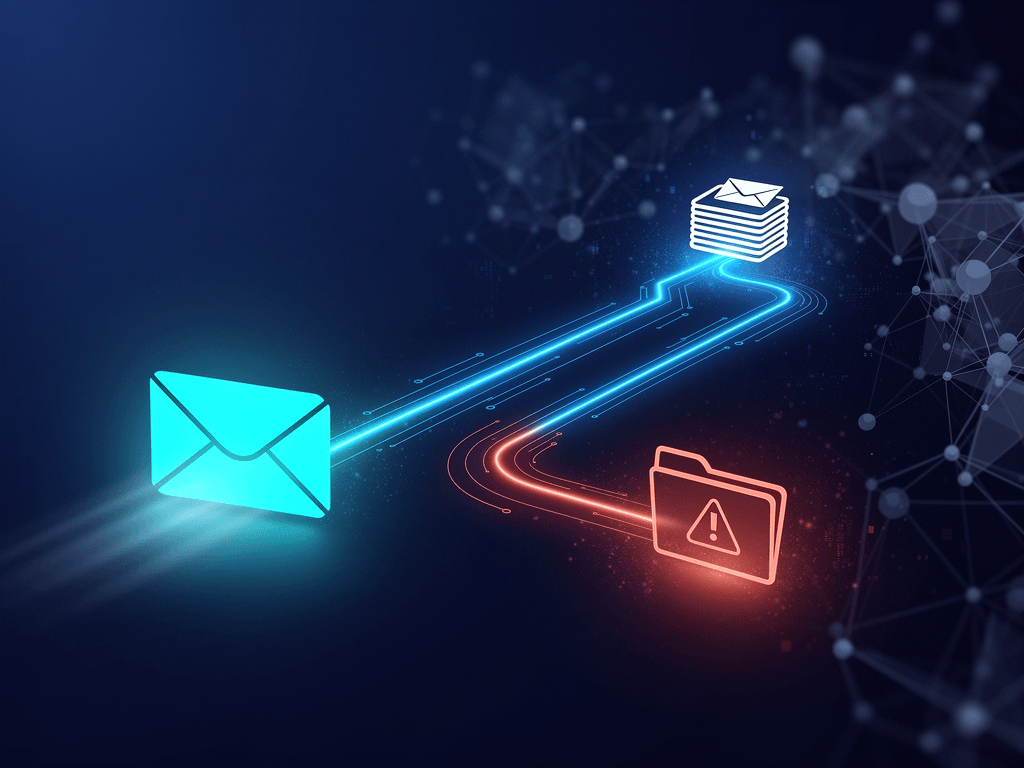
Email deliverability is the measure of how successfully your emails reach your subscribers’ primary inboxes, rather than their spam or promotions folders. Unlike delivery, which just confirms a server received the email, deliverability is about successful inbox placement. It is the single most critical factor for email marketing ROI, directly impacting your revenue and brand reputation.
You’ve spent hours crafting the perfect email campaign. The copy is compelling, the design is sharp, and the offer is irresistible. You hit ‘send’ and wait for the sales to roll in. But what if a huge chunk of those emails never even get seen? The hard truth is that nearly 16% of all emails land in the spam folder globally. For a small business, that’s like turning away one out of every six potential customers at your digital doorstep.
This is the core challenge of email deliverability. It’s the unsung hero of every successful email marketing strategy. Without it, your message is a ship lost at sea. In this guide, we’ll explore how AI is not just a lifeboat, but a modern navigation system to ensure your emails arrive safely in the inbox, every single time.
Deliverability vs. Delivery: A Critical Distinction
Many marketers use the terms ‘delivery’ and ‘deliverability’ interchangeably, but they represent two very different stages of an email’s journey. Understanding this difference is fundamental to diagnosing and fixing inboxing issues.
- Delivery: This is a server-level metric. An email is considered ‘delivered’ when the receiving email server (like Gmail’s or Outlook’s) accepts the message from your sending server. A failed delivery results in a hard or soft bounce, often due to an invalid email address.
- Deliverability: This is an inbox-level outcome. It refers to where the email lands after the server accepts it. Does it go to the primary inbox, the promotions tab, a custom folder, or the dreaded spam folder? This is determined by your sender reputation, content, and subscriber engagement.
You can have a 99% delivery rate but a 50% deliverability rate, meaning half your messages are effectively invisible to your audience. That’s why focusing on deliverability is key.
The High Cost of Poor Deliverability
Poor deliverability isn’t just a missed opportunity; it’s an active drain on your resources. The average ROI for email marketing is a staggering $36 for every $1 spent, but that number plummets if your emails aren’t being seen. Every email that lands in spam damages your sender reputation, making it even harder for future emails to get through. It’s a vicious cycle that can cripple your most profitable marketing channel. For a deep dive into the financial side of your tech stack, check out our guide on managing AI pricing and budgets.
Key Factors Influencing Your Sender Reputation
Internet Service Providers (ISPs) like Gmail, Yahoo, and Microsoft use a complex algorithm to score you as a sender. This ‘sender reputation’ is the primary factor in their filtering decisions. Key components include:
- IP Reputation: The track record of the IP address sending your emails.
- Domain Reputation: The history and health associated with your sending domain (e.g., yourbusiness.com).
- Subscriber Engagement: High open rates, clicks, and replies signal to ISPs that your content is valued. High unsubscribe and spam complaint rates are massive red flags.
- Authentication: Proper setup of SPF, DKIM, and DMARC proves you are who you say you are. This is a non-negotiable part of modern AI-driven email security.
How Does AI Revolutionize Email Rendering Tests?
AI revolutionizes email rendering tests by automating the process of previewing how an email will look across hundreds of different clients, devices, and settings like dark mode. Instead of manual checks, AI algorithms can instantly simulate these environments, flag potential layout or code issues, and even suggest fixes to ensure a consistent, professional appearance for every subscriber.
Have you ever had a customer forward you an email you sent, and it looks completely broken on their phone? A misaligned image, unreadable text, a button that doesn’t work—it shatters your brand’s credibility. With mobile clients accounting for a significant portion of all email opens, ensuring your campaigns render perfectly everywhere is not a luxury, it’s a necessity.
The Problem with Manual Rendering Checks
In the past, the only way to test rendering was to maintain a library of physical devices and accounts on different email clients. This was slow, expensive, and impossible to scale. You might test on an iPhone and an Android device, but what about a specific version of Outlook on a Windows 11 machine? Or a Samsung Mail user with dark mode enabled? You simply can’t cover all your bases manually.
AI-Powered Previews: See Your Email on 100+ Devices Instantly
This is where AI changes the game. Tools like Litmus and Email on Acid use sophisticated AI to generate pixel-perfect screenshots of your email across more than 100 different clients and devices in seconds. You can instantly see how your email will look in Gmail on Chrome, the Apple Mail app on an iPad Pro, and Outlook 2019 on a desktop, all from a single dashboard. This allows you to catch and fix rendering errors before you hit send.
Automated HTML Code Correction for Maximum Compatibility
Some AI rendering tools go a step further. They don’t just show you the problems; they help you fix them. By analyzing your email’s HTML, the AI can identify code that is likely to cause issues in specific clients (looking at you, Outlook) and suggest or even automatically apply corrections. This ensures your code is as robust and compatible as possible, saving your developer hours of frustrating troubleshooting.
Dark Mode Rendering Optimization with AI
Dark mode usage has exploded, but it presents a major headache for email marketers. Clients like Apple Mail and Gmail invert colors in different ways, which can make your beautifully designed email unreadable. AI testing tools can simulate these inversions, showing you exactly how your logos, text, and images will appear and allowing you to design a fallback that looks great in any mode.
What Are the Best AI Tools for Email Deliverability and Rendering?
The best AI tools for email deliverability fall into two main categories. First are all-in-one Email Service Providers (ESPs) like ConvertKit, which integrate AI for list health and analytics. Second are specialized testing suites like Litmus and Email on Acid, which provide deep, AI-powered pre-send rendering and spam filter tests for maximum inbox placement.
Choosing the right tool depends on your budget, team size, and the complexity of your email program. For many small businesses, starting with a powerful ESP is the most efficient path. For a broader look at what’s available, see our complete guide to the best AI email marketing tools.
All-in-One Email Service Providers (ESPs) with AI
These platforms are the command center for your email marketing. The best modern ESPs have deliverability and AI features baked in.
ConvertKit — Best for Creators and Small Businesses
ConvertKit has built its reputation on excellent deliverability and powerful automation. While not a dedicated testing suite, it uses internal AI and strict sending practices to maintain high inbox placement rates for its users. Its system automatically prunes cold subscribers to keep your list healthy and your sender score high. Its visual automation builder also makes crafting sophisticated, personalized sequences remarkably simple.
Specialized Rendering and Testing Suites
For businesses where email is a primary revenue driver, pairing your ESP with a specialized testing tool provides an enterprise-level safety net.
Litmus — Best for Comprehensive Pre-Send Testing
Litmus is the industry standard for a reason. Its ‘Pre-Send Checklist’ is a powerful AI-driven workflow that includes rendering previews on 100+ clients, link and image validation, and a spam filter test that runs your email against major filters before you send it. It provides a simple pass/fail grade, giving you the confidence to launch your campaign.
Email on Acid — Best for In-depth Code Analysis
A strong competitor to Litmus, Email on Acid excels at the technical side. Its AI-powered ‘Campaign Precheck’ not only provides screenshots but also includes an advanced code editor that suggests fixes. It’s particularly valued by teams with in-house developers who want to fine-tune their HTML for perfect rendering everywhere.
Standalone Deliverability Monitoring Tools
These tools focus exclusively on what happens after you send, providing deep analytics on your inbox placement.
GlockApps — Best for Inbox Placement and DMARC Analysis
GlockApps helps you answer the question: ‘Where did my email land?’ It sends your campaign to a seed list of real inboxes at major ISPs worldwide and reports back on whether it hit the inbox, promotions, or spam. It also provides excellent DMARC monitoring to protect your domain from spoofing.
Folderly — Best for AI-Powered Spam Fixes
Folderly uses an AI-based approach to diagnose and fix deliverability issues. It connects to your ESP, analyzes your sending patterns and infrastructure, and provides a concrete, prioritized list of technical fixes to improve your inbox placement. It’s like having a deliverability consultant on-demand.
Tool Comparison Table
| Tool | Best For | Key AI Feature | Focus |
|---|---|---|---|
| ConvertKit | Small Businesses & Creators | Automated list cleaning | All-in-One ESP |
| Litmus | Comprehensive Pre-Send Checks | AI-powered rendering & spam tests | Pre-Send Testing Suite |
| Email on Acid | Developers & Technical Teams | Automated HTML code analysis | Pre-Send Testing Suite |
| GlockApps | Inbox Placement Monitoring | Seed list testing analytics | Post-Send Analysis |
How Can You Implement an AI-Powered Deliverability Workflow? (Step-by-Step Guide)
Implementing an AI-powered deliverability workflow involves a six-step process. You begin with a one-time technical setup of domain authentication (SPF, DKIM, DMARC), then use AI to clean your list. Next, you integrate a testing tool, run rendering and spam checks on every campaign, and finally, monitor post-send metrics to continuously improve your sender reputation.
This might sound complex, but it’s a systematic process that will pay dividends for years. Think of it as building a quality assurance assembly line for your emails. This is a core concept in broader AI workflow automation for small businesses.
Step 1: Authenticate Your Domain (SPF, DKIM, DMARC)
This is the foundation of all deliverability. These three DNS records work together to prove to ISPs that your emails are legitimate. DMARC adoption is steadily rising as it’s the best defense against phishing and spoofing. Your ESP will provide instructions for setting this up. Do not skip this step.
Step 2: Clean and Segment Your Email List with AI
A clean list is a profitable list. Use a service like NeverBounce or ZeroBounce to run a one-time scrub of your list, removing invalid addresses. Going forward, use the AI features in your ESP (like ConvertKit’s cold subscriber pruning) to automatically manage list hygiene. HubSpot reports that 30% of marketers see list segmentation as a top priority for improving engagement.
Step 3: Choose and Integrate Your AI Testing Tool
Based on the tools discussed earlier, select the one that fits your needs. If you’re a small business, starting with your ESP’s built-in features is wise. If you’re sending high volumes or have a complex design, integrate a tool like Litmus. The setup usually involves a simple copy-paste of a tracking code or an API connection.
Step 4: Run AI-Powered Rendering Tests on Every Campaign
Make this a mandatory part of your pre-flight checklist. Before any email goes out to your main list, send a test to your rendering service. Quickly scan the previews for any glaring errors on popular clients like Gmail, Apple Mail, and Outlook. Fix any issues before proceeding.
Step 5: Execute an AI-Driven Pre-Send Deliverability Check
This is your final ‘go/no-go’ decision point. Use the spam testing feature in your chosen tool. The AI will analyze your email’s content, links, and authentication, then run it against common spam filters. If it flags any issues, address them. This simple check can be the difference between the inbox and the spam folder.
Step 6: Monitor Post-Send Metrics and Adapt
Your work isn’t done when you hit send. Monitor your open, click, and unsubscribe rates. Use this data to inform your next campaign. Are open rates low? Test new subject lines. Are click rates down? Re-evaluate your call-to-action. This data-driven feedback loop is where you can turn your analytics into actionable insights, a process similar to using an AI data analyst.
What Email Workflows Should You Automate with AI?
Small businesses should use AI to automate high-impact email workflows such as abandoned cart reminders, dynamic welcome sequences for new subscribers, and re-engagement campaigns for inactive users. These automations use AI to personalize content and timing, delivering the right message at the right moment to maximize revenue and engagement with minimal manual effort.
Automation is about working smarter, not harder. By setting up these ‘always-on’ campaigns, you create consistent touchpoints that nurture leads and drive sales in the background. According to McKinsey, generative AI can automate 60 to 70 percent of tasks that absorb employees’ time, and email marketing is a prime candidate.
The Abandoned Cart Recovery Sequence
For any e-commerce business, this is a must-have. Statistics show that abandoned cart emails can recover up to 10% of lost sales. An automated 3-email sequence—sent 1 hour, 24 hours, and 72 hours after abandonment—can gently remind customers and offer an incentive to complete their purchase. This is a perfect tie-in for AI-driven e-commerce customer service.
The Dynamic Welcome Series for New Subscribers
Your welcome email is your most-opened email. GetResponse data shows welcome emails have an average open rate of over 82%. Don’t waste it! Create a 3-5 part series that introduces your brand, sets expectations, and provides immediate value. Use merge tags to personalize with their name and AI to send it at the optimal time based on when they signed up.
The AI-Powered Re-Engagement Campaign
Over time, some subscribers go ‘cold’. Instead of deleting them, try to win them back. Create a segment of users who haven’t opened an email in 90 days. Send them an automated campaign with a compelling offer or a simple ‘Are we still a good fit?’ message. ESPs like ConvertKit can automate this process, helping you maintain list hygiene and improve overall deliverability.
The Post-Purchase Feedback and Upsell Flow
The customer journey doesn’t end at checkout. A week after a product is delivered, send an automated email asking for a review. Two weeks later, send another with a curated list of related products they might like. This boosts social proof and increases customer lifetime value.
The Content-Driven Lead Nurturing Sequence
If a user downloads a specific lead magnet (e.g., a guide to social media), enroll them in an automated sequence that sends them more related content over the next few weeks. This positions you as an expert and nurtures them toward a sale without a hard pitch, building trust and authority over time.
Recommended Reading: Master Your Email Strategy
To truly master the art and science of email, theory is just as important as the tools. ‘Email Marketing Rules’ by Chad S. White is an indispensable resource that covers strategy, data, and execution. It’s a fantastic companion to the AI tools mentioned here, providing the foundational knowledge to make your campaigns truly effective. You can grab a copy on Amazon to deepen your expertise.
Frequently Asked Questions (FAQ)
This section addresses common questions small business owners have about AI email testing. Key topics include testing frequency, AI’s role in bypassing spam filters, the difference between deliverability and open rate, and the affordability of these advanced tools. Understanding these points helps demystify the process and makes implementation less daunting.
How often should I run email rendering and deliverability tests?
You should run a full rendering and deliverability test for every single campaign you send. It might seem like overkill, but email clients are constantly updating, and even a small change in your code or content can cause unforeseen issues. The few minutes it takes to run a test is a small price to pay to avoid sending a broken email to thousands of subscribers.
Can AI guarantee my emails won’t go to spam?
No tool can guarantee 100% inbox placement. ISPs use hundreds of constantly changing factors to filter email. However, AI tools dramatically increase your odds. By ensuring your technical setup is perfect, your content is clean, and your email renders correctly, you are sending all the right signals to ISPs that you are a legitimate, high-quality sender.
What’s the difference between deliverability and open rate?
Deliverability is whether your email reaches the inbox. The open rate is the percentage of people who open it *once it’s in the inbox*. Poor deliverability directly kills your open rate, because you can’t open an email you never see. However, you can have perfect deliverability and still have a low open rate if your subject line is weak or your audience isn’t engaged.
Are AI email testing tools expensive for a small business?
They can be, but there are options for every budget. Standalone suites like Litmus can be an investment, but many small businesses can get started with the powerful features already built into their ESP. For example, ConvertKit’s deliverability features are included in their standard plans. Start there, and only upgrade to a specialized suite when your email volume and revenue justify the cost.
Ultimately, email deliverability is a game of trust. By using AI to test, authenticate, and personalize your emails, you’re not trying to trick spam filters; you’re proving to them that you’re a trustworthy sender delivering value to your subscribers. This builds a virtuous cycle: better deliverability leads to higher engagement, which in turn further solidifies your sender reputation.
The first step is the easiest: check your domain’s authentication. From there, explore the tools that fit your budget. Whether you start with the built-in features of an ESP like ConvertKit or invest in a dedicated suite like Litmus, taking control of your deliverability is one of the highest-leverage actions you can take to grow your small business. Start today.
Disclosure: Some links in this article may be affiliate links, which means we may earn a commission if you make a purchase. This comes at no extra cost to you and helps us continue to create valuable content.
Get AI Tips That Actually Work
Join small business owners getting weekly AI tool reviews, automation tips, and productivity hacks.
Subscribe Free →Enjoyed this article? Check out our other guides on samshustlebarn.com

